
ARGIS | AI SOC platform
A team of AI agents that runs your SOC.
ARGIS is our own AI SOC platform: a team of AI agents carries work from log collection through detection, investigation, notification, response and reporting. People step in only when a decision is needed.
- 24/7 AI operations
- AWS Japan region
- Azure OpenAI
- Japanese-language support
How ARGIS differs from a traditional SIEM
From “detect and stop” to AI that takes the next step
Traditional SIEM
- People check alerts one by one
- Priority depends on who is on shift
- Separate screens for each product
- People read and run the playbooks
- Reasons behind decisions get lost
ARGIS (AI SOC)
- AI investigates, notifies and responds
- Auto-scoring keeps priorities current
- Signals from many tools become one incident
- Runbooks run automatically, with approval rules
- Every AI decision, approval and result is recorded
Your people focus only on decisions that need them
Platform architecture
One platform from log intake to reporting
Connect
Your environment (keep your tools)
- Microsoft 365
- EDR
- Firewall / VPN
- Cloud
- Servers
- AI tool audit logs
SIEM
ARGIS SIEM
- Collect & normalize
- Correlated detection
- Incident creation
- Tickets & evidence
AI operations
AI agent team
- Lead agent
- Monitor, analyze, correlate
- Notify, runbooks, reports
Safe automation
- AUTO, HOTL, HITL
- Approvals and actions recorded
Foundation
AWS Japan + Azure OpenAI
- Permissions, prompts, references and processing logs managed in ARGIS
How the AI agent team works
A lead agent assigns work to specialist agents
AI is designed as an operations team member, not just a summarizer.
Lead agent
Monitoring
Analysis
Correlation
Notification
Runbooks
Reporting

Log normalization
Different log formats, made consistent
ARGIS maps fields from Microsoft 365, EDR, firewalls and more into one common format — so cross-product correlation and AI investigation stay accurate.
- Connect the logs you need without replacing tools
- Check intake and field mapping on one screen
- Search and dashboards ready to use

Operation flow (9 steps)
After detection, AI agents keep the next steps moving
- 01
Watch tickets
New, updated and stalled tickets
- 02
Auto-scoring
Re-rank by threat and asset value
- 03
AI analysis
Match logs, devices, IPs and history
- 04
Cross-correlation
Join signals into one incident
- 05
Recommend
Containment, recovery, prevention with reasons
- 06
Notify
Send Japanese email by severity
- 07
Run runbooks
Run approved low-risk actions
- 08
Verify & track
Check results and recurrence
- 09
Report
Daily, weekly, monthly, incident reports
Four views used in auto-scoring
| View | What we look at | Effect on priority |
|---|---|---|
| Threat level | Malware, privilege abuse, data leakage, ransomware | Serious signs move up |
| Asset value | Executive devices, key servers, sensitive data, internet-facing assets | Impact on key assets moves up |
| Attack progress | Intrusion, escalation, lateral movement, exfiltration | The further along, the higher |
| Scope & confidence | Targets, duration, correlations, confidence | Wide and certain moves up |
Safe automation
Decide in advance what runs automatically, and how far
AUTO (runs automatically)
Approved runbooks run automatically; people review afterward.
HOTL (person reviews after)
AI acts and keeps watching; a person can stop or roll back.
HITL (person approves first)
AI explains and proposes; it acts only after approval.
Typical runbooks
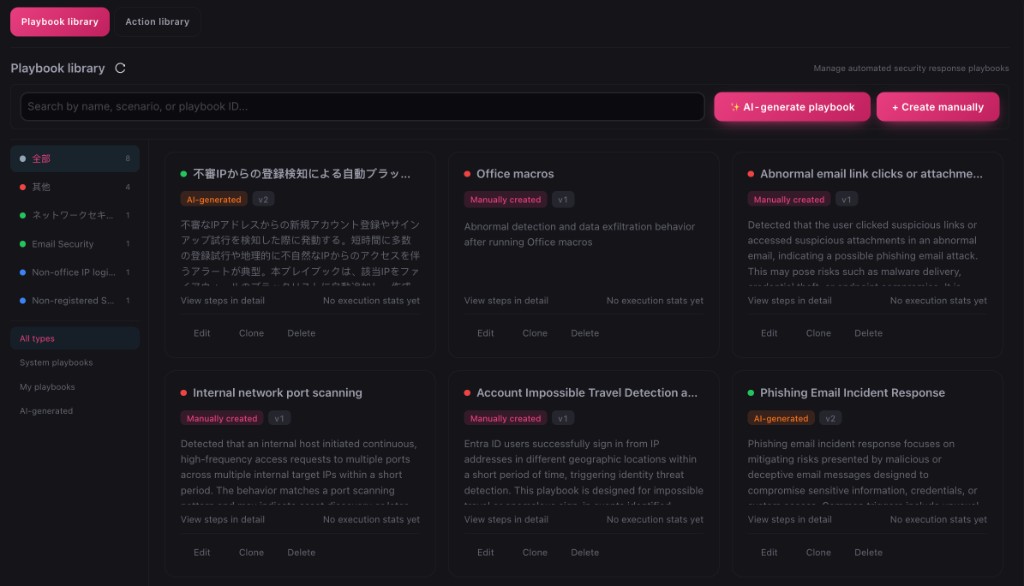
Suspicious sign-in
Notify AUTO / actions HITL
Collect logs, confirm with the user, notify you
Malware detected
Investigate AUTO / isolate with approval
Correlate device and destinations, recommend isolation
Admin rights changed
Notify AUTO / revert HITL
Check who, what and surrounding actions; urgent alert
Anomaly on an internet-facing asset
Block HOTL or HITL
Analyze traffic, auth and WAF; propose blocks
Routine operations
AUTO
Check open items, summarize trends, send reports
Knowledge improves with every case
Every change is recorded and, where needed, approved by a person first.
- 1
Collect
Environment, events, answers, results
- 2
Evaluate
Accuracy, false positives, time, recurrence
- 3
Adjust
Knowledge, rules, prompts, runbooks
- 4
Approve
Log the change; a person approves
- 5
Apply
Apply to the next round
Explainable AI operations
What the AI saw, decided and did — all in the ticket
Referenced logs, AI decisions, priority changes, messages sent, approvers, commands and results are all recorded — ready for audits and management reporting.
- AI self-improvement is logged; key logic changes need human approval
- Major business decisions, disclosure and data deletion are never automated

Real screens
Inside ARGIS

Detection overview
See detection coverage mapped to MITRE ATT&CK.

Assets & vulnerabilities
Key assets and vulnerabilities at a glance, prioritized.

Log sources
See which logs are arriving and how much.
Sample screens; sensitive data has been masked.
IT security × AI security
Protect both at once
IT security
- Microsoft 365
- EDR
- Firewall / VPN
- Cloud
- Servers
AI security
- Shadow AI
- Prompt attacks
- Sensitive data
- AI agent behavior
One platform, one screen for both
How to use ARGIS
As a managed service or through partners
ARGIS-SOC (managed service)
ARGIS with 24/7 AI agent operations and expert support.
- Three plans by size
- Live in about five weeks
- 1-month free trial
Through partners
MSP and OEM partners can build their own managed services or products on ARGIS.
- MSP: your own branded monitoring service
- OEM: embed in your products
- Onboarding and operations training
See ARGIS on your own environment
The 1-month ARGIS-SOC free trial covers log connection through AI analysis, alerts and reports.